

Free Markdown Converter Online: The Ultimate Guide for 2026
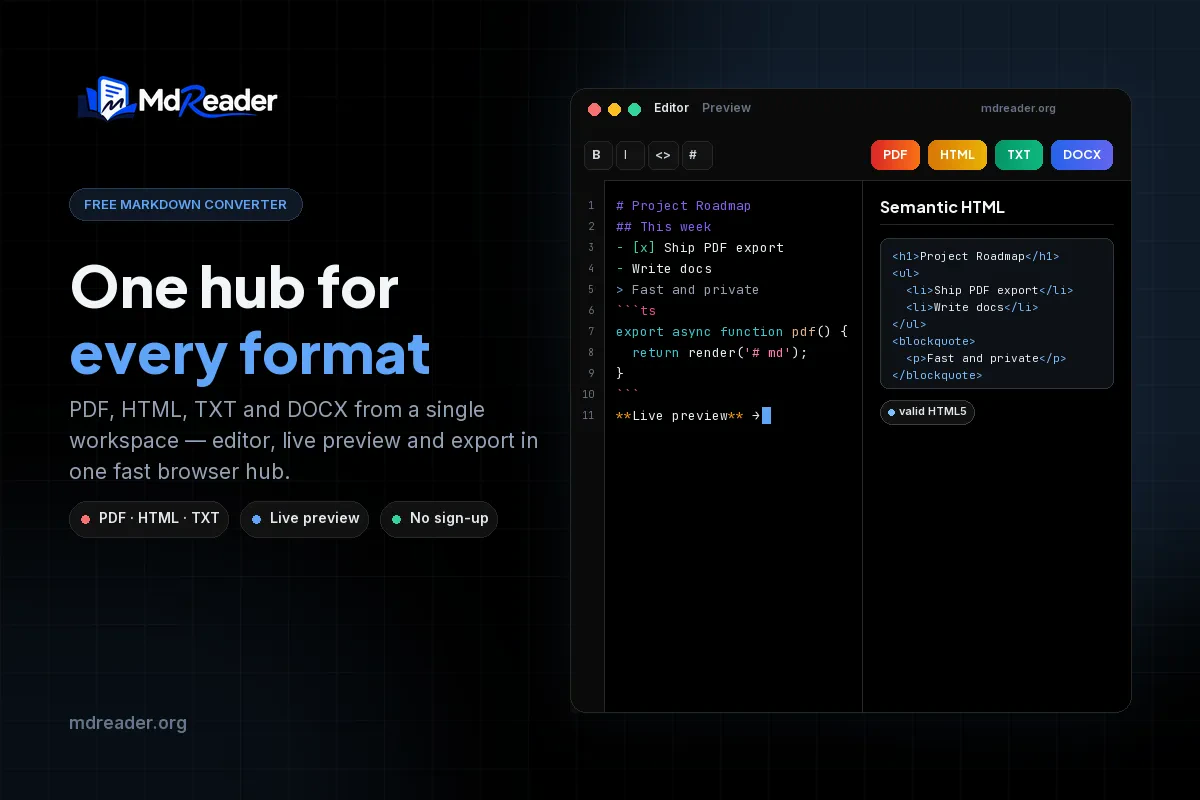
Markdown has cemented its place as the undisputed standard for writing on the web. From software documentation to academic papers, developers, technical writers, and students rely on Markdown for its simplicity, readability, and platform independence. However, while writing in Markdown is effortless, sharing those files with non-technical audiences can often become a frustrating hurdle. When you have written a comprehensive project specification, a detailed README, or a set of vital meeting notes in Markdown, you usually need to deliver it as a polished PDF for a client, clean HTML for a content management system (CMS), or raw plain text for an email thread.
Jumping between a half-dozen different desktop applications, command-line interfaces, or questionable cloud-based tools to handle each specific export format is a massive drain on your productivity. This is exactly where a free markdown converter steps in to streamline your entire workflow.
A high-quality free markdown converter online brings every essential export path into one centralized, accessible place. There are no heavy software installations required, no cumbersome user accounts to create, and no frustrating upload queues to wait in. You simply paste your Markdown text and instantly pick the output format you need.
In this exhaustive guide, we will explore everything a modern Markdown conversion toolkit must include, detail how each output format fits into your daily workflow, and provide actionable tips on leveraging MdReader's free converter hub to handle your entire documentation pipeline entirely within your web browser.
Table of Contents
- What is a Free Markdown Converter?
- The Core Components of a Markdown Toolkit
- Why Teams Need a Client-Side Free Markdown Converter
- Essential Features to Look For in 2026
- Adding Advanced Visuals: Mermaid Diagrams and LaTeX Math
- How to Convert Your Files Step-by-Step
- Best Use Cases Across Different Industries
- Troubleshooting Common Conversion Issues
- Frequently Asked Questions (FAQ)
- Final Conclusion
What is a Free Markdown Converter?
At its core, a Markdown converter is a specialized software tool designed to read plain-text files formatted with Markdown syntax—such as hash marks for headings, asterisks for bold text, backticks for code blocks, and bracketed links—and render them into a completely different, presentation-ready format.
Traditionally, converting Markdown required downloading and configuring complex command-line tools like Pandoc, or purchasing specialized desktop applications like Typora or Obsidian. While these tools are incredibly powerful, they often come with steep learning curves, demanding installation prerequisites like Node.js or Python, and strict administrative privileges on corporate machines.
A free online markdown converter accomplishes the exact same robust rendering job, but it does so effortlessly inside your existing browser tab. By leveraging modern web technologies like WebAssembly and advanced JavaScript parsing libraries, online converters can offer desktop-grade performance without the desktop-grade bloat.
MdReader’s comprehensive toolkit includes several specialized utilities to handle any scenario:
- Markdown to PDF — Generate highly professional, paginated documents perfect for sharing, printing, and long-term archival.
- Markdown to HTML — Output clean, semantic web-ready markup that can be pasted directly into WordPress, Ghost, or any custom CMS.
- Markdown to TXT — Strip away all formatting symbols to produce clean plain text for emails, chat messages, or LLM prompts.
- Markdown live preview — Experience real-time side-by-side rendering to catch syntax errors as you type.
- Online Markdown editor — A distraction-free workspace to write, preview, and export in a single, unified environment.
The most crucial aspect of MdReader's approach is that absolutely everything processes locally in your browser. Nothing uploads to a remote server, ensuring complete privacy.
The Core Components of a Markdown Toolkit
Understanding the different components of a Markdown conversion toolkit helps you choose the right tool for the right job. A truly capable free markdown converter isn't just a single script; it is an ecosystem of interconnected tools designed to handle the diverse lifecycle of a document.
The PDF Engine
The most sought-after feature of any Markdown toolkit is the ability to generate PDF files. PDF is the universal standard for business and academic communication. When you export a Markdown file to PDF, the converter must handle complex pagination, ensure that images fit within page boundaries, maintain clickable hyperlinks, and render code blocks without breaking lines awkwardly. A high-quality PDF engine ensures that the final document looks as though it was typeset by a professional, maintaining crisp fonts and proper margins.
The HTML Generator
Markdown was originally created by John Gruber specifically to generate HTML. A modern HTML generator must output strict, semantic HTML5. It shouldn't just wrap everything in <div> tags; it must correctly identify <h1> through <h6> tags, structured <ul> and <ol> lists, and properly escaped <pre><code> blocks. Clean HTML output is essential for developers who need to inject content into existing web frameworks or static site generators without battling inline styles or messy markup.
The Plain Text Stripper
Sometimes, you just need the words. The TXT converter component is designed to aggressively but intelligently strip out all Markdown formatting characters—removing the #, *, and _ symbols—while preserving the underlying structure and readability of the text. This is invaluable when drafting an email response, dropping notes into a Slack channel, or feeding context into an AI model where special characters might confuse the output.
The Real-Time Preview
Writing raw Markdown blindly can lead to structural mistakes, especially when dealing with nested lists or complex tables. The live preview component parses your input dynamically, updating the rendered output on every keystroke. This immediate feedback loop is critical for catching broken syntax before you commit to a final export format.
Why Teams Need a Client-Side Free Markdown Converter
Markdown has become the default writing format for developers, technical writers, open-source contributors, and increasingly, non-technical project managers. However, the files themselves rarely satisfy every stakeholder in an organization. Teams reach for a converter to bridge the gap between authoring and consumption.
There are several compelling reasons why a free markdown converter is an essential part of any team's digital toolkit:
- Sharing with non-technical stakeholders: While engineers love reading raw Markdown on GitHub, executives, clients, and legal teams prefer the polished familiarity of a PDF. PDF is universally readable across all devices without any specialized software.
- Publishing seamlessly on the web: HTML output can be dropped into practically any CMS. Instead of fighting with a WYSIWYG editor, you can write in Markdown and let the converter handle the HTML generation.
- Stripping formatting for plain-text channels: TXT export removes the visual noise of Markdown syntax for platforms that don't support it, such as legacy email clients or simple chat applications.
- Skipping frustrating installation overhead: Browser-based tools work instantly on any operating system—macOS, Windows, Linux, or ChromeOS—without requiring Homebrew, npm, Docker, or administrator rights.
- Protecting sensitive corporate content: This is arguably the most important factor. Client-side converters keep internal documents strictly off third-party servers.
Understanding Client-Side Processing Architecture
Understanding how client-side conversion works helps you trust the tool with sensitive content. When you paste your text into a standard cloud converter, your data is sent via an API to a remote server, processed, and then a download link is returned. This poses a massive security risk for proprietary code or confidential client data.
MdReader operates differently. When you load the page, the application downloads the parsing logic to your browser. From that point on, the conversion happens entirely on your local machine's CPU and memory.
Here is a simplified code example of how local Markdown parsing is handled in TypeScript:
import { marked } from 'marked';

// A local, client-side function to convert Markdown to HTML
export function convertMarkdownToHtml(markdownString: string): string {
  try {
    // Parsing happens locally in the browser memory
    const htmlOutput = marked.parse(markdownString);
    return htmlOutput;
  } catch (error) {
    console.error("Failed to parse Markdown", error);
    return "<p>Error parsing document.</p>";
  }
}
Because no network request carries your document body, the server only acts as a delivery mechanism for the application code. For teams operating under strict GDPR compliance, HIPAA-adjacent policies, or rigorous internal security reviews, client-side processing completely eliminates an entire class of data-handling vulnerabilities.
Essential Features to Look For in 2026
Not every online free markdown converter is worth your time or trust. In 2026, the baseline expectations for web-based productivity tools are higher than ever. Here is what separates a reliable, professional-grade toolkit from a bare-minimum weekend project.
| Feature | Why It Matters for Your Workflow |
|---|---|
| Client-Side Processing | Your IP, credentials, and internal documents stay securely on your local machine, ensuring complete data privacy. |
| Real-Time Live Preview | Catch formatting errors, broken tables, and missing links instantaneously before triggering an export. |
| High-Fidelity PDF Export | Generate professional documents ready for sharing, printing, and archival without layout clipping or font issues. |
| Clean HTML Export | Produce semantic markup that plays nicely with external CSS frameworks and modern Content Management Systems. |
| Mermaid Diagram Support | Flowcharts, sequence diagrams, and class diagrams render natively without requiring external image generators or screenshots. |
| LaTeX Math Rendering | Complex mathematical equations and scientific formulas render beautifully using KaTeX or MathJax integration. |
| Code Syntax Highlighting | Developer documentation remains highly readable with distinct color coding for different programming languages. |
| Zero Sign-Up Friction | Start converting immediately without creating an account, confirming an email address, or hitting arbitrary paywalls. |
MdReader checks absolutely every box on this list. Compare that seamless browser experience to standalone CLI tools that require separate, complex commands, dependency management, and configuration files for each different output format.
Adding Advanced Visuals: Mermaid Diagrams and LaTeX Math
Standard Markdown is fantastic for text, lists, and links, but technical documentation often requires more visual depth. A premier free markdown converter must support advanced extensions like Mermaid diagrams and LaTeX mathematics.
Rendering Mermaid Diagrams
Mermaid is a JavaScript-based diagramming and charting tool that renders Markdown-inspired text definitions to create and modify diagrams dynamically. Instead of drawing a flowchart in Visio, exporting an image, and linking it in your Markdown, you write the diagram directly as code. MdReader parses these blocks and renders them perfectly in your final PDF or HTML export.
Here is an example of the Mermaid syntax you can use:
```mermaid
```mermaid
flowchart LR
    A[Raw Markdown File] -->|Parsed by| B(Client-Side Engine)
    B --> C{Choose Output}
    C -->|PDF Export| D[Professional PDF]
    C -->|HTML Export| E[Semantic HTML]
    C -->|TXT Export| F[Plain Text]
When processed by the converter, this code block generates a beautiful, scalable vector graphic directly in your document.

```mermaid
```mermaid
flowchart LR
    A[Raw Markdown File] -->|Parsed by| B(Client-Side Engine)
    B --> C{Choose Output}
    C -->|PDF Export| D[Professional PDF]
    C -->|HTML Export| E[Semantic HTML]
    C -->|TXT Export| F[Plain Text]
Rendering Mathematical Equations with LaTeX
For academics, data scientists, and engineers, communicating complex mathematical formulas in plain text is impossible. LaTeX syntax is the global standard for mathematical typesetting. MdReader natively supports inline and block LaTeX equations.
By wrapping your math in dollar signs ($$), the converter accurately renders complex equations. For example, calculating the roots of a quadratic equation:
This feature ensures that your research papers, algorithmic documentation, and study notes maintain absolute mathematical precision when exported to PDF.
How to Convert Your Files Step-by-Step
Converting your documents should be the easiest part of your day. Follow these simple steps to transform any file using the free markdown converter hub.
Step 1: Open the Converter Hub
Navigate to MdReader's free converter page. You will immediately see dedicated cards for each tool in the suite—PDF, HTML, TXT, Live Preview, and the full-featured Editor. Select the output format you need, or start directly in the online editor if you are drafting a new document from scratch.
Step 2: Paste or Upload Your Markdown
Drag and drop an existing .md file directly into the editor pane, or simply copy and paste your Markdown text from your clipboard. The converter fully supports GitHub Flavored Markdown, handling complex elements like data tables, interactive task lists, fenced code blocks, blockquotes, and Mermaid diagram definitions without breaking a sweat.
Step 3: Validate with Live Preview
Before you commit to an export, use the live preview tool to verify your document's structure. Check your heading hierarchy, ensure lists are nesting correctly, confirm that code blocks have the right syntax highlighting, and double-check that your Mermaid diagrams and LaTeX equations have rendered flawlessly. Fixing a broken table pipe character now is much faster than discovering it in a downloaded PDF.
Step 4: Choose Your Export Format
Depending on your audience, select the appropriate conversion path:
- PDF — Click through to the Markdown to PDF converter to generate a beautifully paginated, professional document.
- HTML — Use the Markdown to HTML tool to grab clean, semantic markup ready for web deployment.
- TXT — Open the Markdown to TXT converter to instantly strip away formatting symbols for a clean plain-text reading experience.
Step 5: Save and Share
Click the Download button to securely save the generated file directly to your local hard drive, or use the Copy button to grab the HTML or text string to paste into another application. The entire pipeline executes in milliseconds. There are no watermarks on your documents, no email confirmation loops, and no usage caps to worry about.
Best Use Cases Across Different Industries
Different professions rely on a free markdown converter for vastly different reasons. Here is how various industries maximize their productivity with these tools.
Software Developers and Engineers
Developers practically live in Markdown. They use converters to export extensive README.md files, API endpoints, and architectural decision records (ADRs) to PDF for executive code review packets. They also convert internal operational runbooks to HTML for seamless integration into a corporate wiki, and strip Markdown from weekly changelogs before broadcasting updates to a company Slack channel.
Technical Writers and Documentarians
Technical writers appreciate the separation of content and presentation. They can draft relentlessly in Markdown for easy version control via Git, and then rely on the converter to export polished, styled PDFs for final client deliverables. The ability to preview complex multi-column tables and state-machine Mermaid diagrams before publishing saves countless editorial cycles.
Students, Academics, and Researchers
Students convert their Markdown-based lecture notes, thesis drafts, and assignment submissions into perfectly formatted PDFs for professors who require strict document standards. Researchers utilize the LaTeX support extensively, ensuring their mathematical models and statistical formulas export accurately for peer review.
Bloggers and Content Creators
Digital publishers write their articles in Markdown for maximum speed and minimal distraction. They use the live preview to verify formatting, then export the raw HTML to paste directly into static site generators like Hugo or Next.js, or CMS platforms like Ghost. Additionally, they often export highly formatted PDFs to serve as downloadable lead magnets for their newsletters.
Freelancers and Independent Consultants
Freelancers need to deliver professional reports without demanding their clients install specialized software to read them. Writing in Markdown guarantees speed; exporting to PDF guarantees polish. A freelancer can draft a project proposal in Markdown, convert it to PDF to send to the client, and simultaneously convert a snippet to HTML to update their personal portfolio—all from a single, fast browser session.
Troubleshooting Common Conversion Issues
Even with the best free markdown converter, you might occasionally run into rendering quirks, usually stemming from syntax mistakes. Here is how to resolve the most common issues rapidly.
Issue: Formatting breaks entirely during PDF export.
Solution: This is almost always caused by malformed Markdown. Preview your document in the live preview tool first. Look closely for broken table syntax (missing pipe characters |), unclosed code fences (missing backticks ```), or improperly indented nested lists. Fix the syntax in the editor and re-export.
Issue: Mermaid diagrams render as raw text blocks.
Solution: Ensure you have properly wrapped your diagram syntax inside a fenced code block and explicitly tagged it with the mermaid language identifier. If the tag is missing or misspelled, the converter will treat it as standard code. See our detailed Mermaid diagram guide for exact syntax examples.
Issue: LaTeX equations are showing up as raw dollar signs.
Solution: Make sure you are using double dollar signs ($$) for block-level equations and single dollar signs ($) for inline math. Also, ensure there are no unintended spaces between the dollar signs and your mathematical expressions.
Issue: HTML output lacks styling and looks basic.
Solution: This is the correct, intended behavior. A quality converter exports semantic HTML (e.g., <h1>, <strong>, <blockquote>) without embedding opinionated CSS styles. You should pair the exported HTML with your website's existing stylesheet or a dedicated typography plugin to achieve the visual design you want.
Frequently Asked Questions
Is the MdReader markdown converter genuinely free to use?
Absolutely. Every single tool in the hub—including the PDF generator, HTML converter, TXT stripper, live preview, and the full-screen editor—is 100% free. There are no arbitrary usage limits, no premium tiers hiding basic features, and no user accounts required to start converting.
Does the converter upload my sensitive files to a remote server?
No, never. MdReader is designed with a strict privacy-first architecture. It runs entirely within your web browser. Your Markdown content is processed locally on your machine via client-side JavaScript, meaning your confidential data never leaves your device or touches our servers.
Can I convert the exact same Markdown file to PDF, HTML, and TXT?
Yes. You only need to paste your Markdown content once into the editor. From there, you can freely toggle between the different conversion tools. The underlying source content remains unchanged; only the rendering engine switches to provide your desired output format.
Does the toolkit fully support rendering Mermaid diagrams?
Yes. Mermaid flowcharts, sequence diagrams, class diagrams, state diagrams, and Gantt charts render natively inline within the live preview and will export flawlessly to your final PDF document.
How does MdReader compare to command-line tools like Pandoc?
Pandoc is an incredibly powerful CLI tool that is ideal for automated CI/CD pipelines, bulk processing thousands of files, and highly customized scripting. MdReader, on the other hand, is optimized for immediate, frictionless one-off conversions. It requires zero installation, provides instant live previews, and natively supports Mermaid and LaTeX in the browser—making it significantly faster for daily, ad-hoc tasks.
Are there any file size limits for the documents I can convert?
MdReader can effortlessly handle large, complex documentation files, including massive repository READMEs, exhaustive API references, and multi-chapter technical guides. Because all processing happens locally, the speed and capacity are only limited by your device's available memory and browser performance.
Will code blocks retain their syntax highlighting in the exported PDF?
Yes. Fenced code blocks that include standard language tags (like js, python, or bash) will render with full, accurate syntax highlighting in both the live preview pane and the final exported PDF and HTML files.
Do I need an internet connection to use the converter?
You only need an active internet connection for the initial page load to download the application assets to your browser. Once the converter hub is loaded, the actual parsing, previewing, and PDF/HTML generation all occur locally, allowing you to convert files even if your connection drops.
Final Conclusion
A modern free markdown converter should never force you to compromise between operational speed, data privacy, and the quality of your final output. The most effective toolkit is one that seamlessly handles PDF generation, clean HTML export, plain-text stripping, and dynamic live previews from a single, unified hub—all without demanding cumbersome software installations, mandatory account creations, or risky server uploads.
MdReader delivers exactly this frictionless experience. Whether you are a software engineer rushing to export an architectural README, an academic researcher formatting a paper with complex LaTeX math, or a technical writer delivering pristine client documentation equipped with intricate Mermaid diagrams, the free markdown converter hub provides every format you need in mere seconds.
Stop wrestling with fragmented tools and complicated command-line scripts. Optimize your documentation workflow today.
Create beautiful Markdown documents with Mermaid diagrams, LaTeX equations, tables, and export them as PDF for free using MdReader.